In today’s digital era, display technology plays a pivotal role in the way users interact with computers, creative tools, and smart devices. Traditional non-touch screens rely on external input devices such as a mouse and keyboard, which create an indirect interaction model. In contrast, a Touch Display enables users to interact directly with on-screen content through taps, gestures, and stylus input. This fundamental shift has significantly changed user experience across industries such as design, education, business, and entertainment. Understanding the advantages of a Touch Display over non-touch screens helps clarify why it has become an increasingly preferred choice for modern workflows.
More Intuitive and Direct Interaction
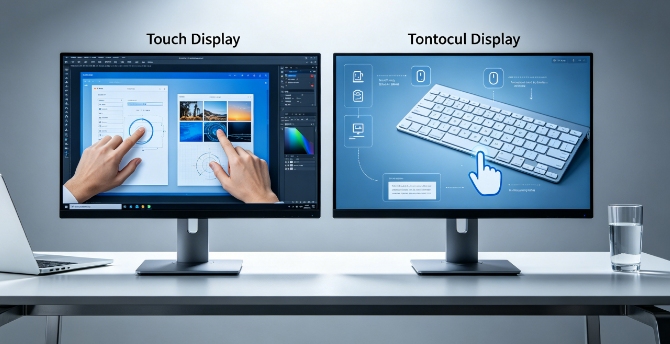
One of the most noticeable advantages of a Touch Display is the ability to interact directly with digital content without relying on intermediary devices.
- Eliminating Indirect Control: Users do not need to move a cursor via a mouse; instead, they can directly click or drag elements on the screen, thereby making interaction more natural.
- Faster task execution: Simple actions such as selecting, scrolling, or resizing can be completed instantly through touch gestures.
- Reduced learning curve: New users can quickly understand basic operations because they resemble real-world physical interactions.
- Improved user engagement: Direct manipulation of content creates a more immersive and engaging experience compared to traditional screens.
This direct interaction model makes the Touch Display significantly more intuitive than non-touch alternatives.
Enhanced Productivity and Workflow Efficiency
A Touch Display also improves productivity by reducing unnecessary steps and simplifying common digital tasks.
- Faster navigation: Users can switch between apps, zoom in on content, and scroll through documents using simple gestures.
- A Streamlined Creative Workflow: Designers and editors can directly adjust objects, layers, and timelines on-screen, without relying excessively on toolbars.
- Reduced dependency on peripherals: Many tasks that require a mouse or keyboard can now be performed directly, minimizing interruptions.
- Real-time interaction with content: Changes are applied instantly, allowing users to make quicker decisions and adjustments.
These improvements help users complete tasks more efficiently compared to traditional non-touch screens.
Better Creativity and Visual Control
For creative professionals, a Touch Display provides a more natural and flexible environment for visual work.
- Direct drawing and sketching: Artists can create illustrations directly on screen, replicating traditional drawing experiences.
- Stylus precision support: Advanced models allow pressure sensitivity and tilt control, enabling detailed artistic expression.
- Faster idea development: Concepts can be quickly sketched, edited, and refined without switching tools or devices.
- Improved visual accuracy: Working directly on the display helps creators better align their vision with the final output.
This level of control makes touch-based systems especially valuable in design, photography, and multimedia production.
Improved Multitasking and Workspace Flexibility
Modern digital work often requires handling multiple applications simultaneously, and a Touch Display enhances this capability.
- Easy window management: Users can drag, resize, and organize multiple windows directly with touch gestures.
- Split-screen efficiency: Reference materials, editing tools, and active projects can be viewed side by side for better workflow coordination.
- Quick switching between tasks: Gesture-based navigation allows faster transitions between applications compared to traditional methods.
These features make multitasking more fluid and visually manageable.
Limitations of Non-Touch Screens Highlighted
Although non-touch screens remain widely used, their limitations appear increasingly evident when compared to touch displays.
- Dependence on external devices: A mouse and keyboard are required for almost all interactions, increasing setup complexity.
- Slower interaction flow: Cursor-based navigation is less direct and can slow down simple tasks.
- Less intuitive for beginners: New users may need time to learn how to operate indirect input systems.
- Limited natural interaction: Non-touch screens lack the physical engagement that touch-based systems provide.
These limitations highlight why many users are shifting toward more interactive display technologies.
Conclusion
In conclusion, a Touch Display offers several clear advantages over non-touch screens, including more intuitive interaction, improved productivity, enhanced creative control, and better multitasking capabilities. By allowing users to engage directly with digital content, it reduces complexity and creates a more natural computing experience. While non-touch screens still play an important role in many traditional workflows, especially those requiring heavy typing or precision input, touch technology provides a more modern and flexible alternative. Ultimately, the choice depends on user needs, but for many professionals and everyday users, a Touch Display delivers a more efficient and engaging way to interact with digital environments.
0