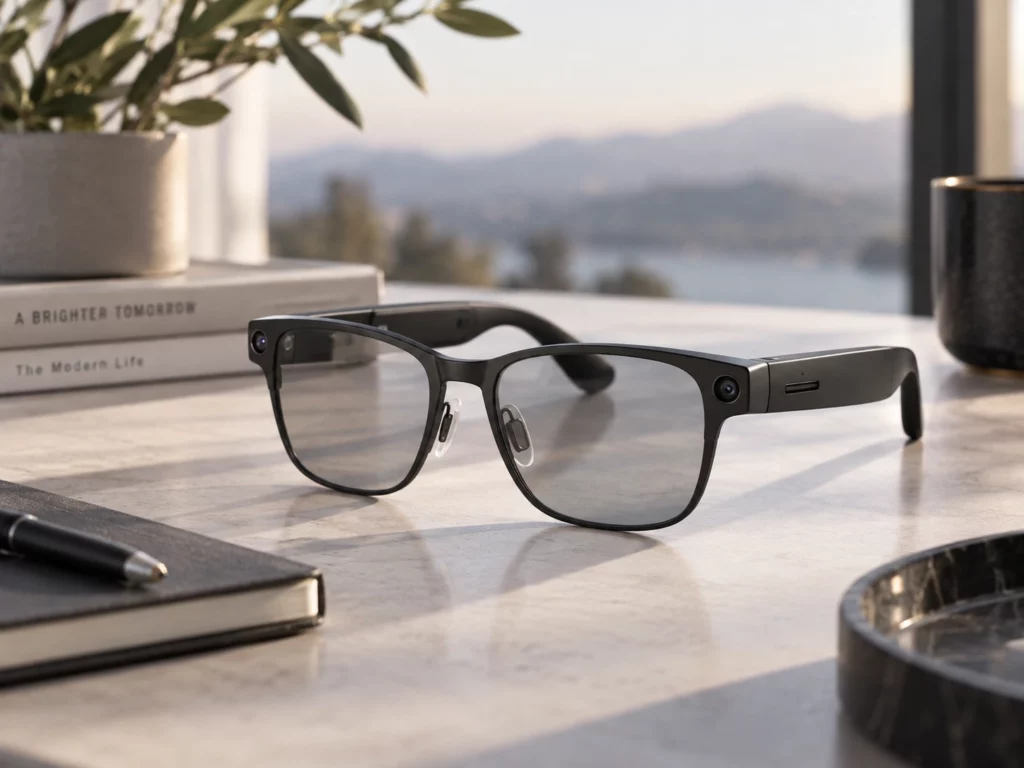
Smart Glasses are becoming more complicated as they evolve from simple Bluetooth gadgets to gadgets with cameras, microphones, AI, audio, and sometimes even screen displays. However, various Smart Glasses are designed for different needs. While some of them focus on music and making phone calls, others are used for recording from the first-person perspective, interacting with an AI, navigating, or augmented reality.
That is why the purchase of Smart Glasses cannot be reduced to comparing the parameters of camera megapixels, battery life, or number of AI features of one pair of Smart Glasses compared to another. The most important thing is their usefulness and comfort for you.
1. Buying Smart Glasses: What Core Features Should You Consider First?
The initial step when purchasing Smart Glasses is to figure out what you want them to accomplish. Even an advanced piece of technology may not serve you well if its capabilities do not suit your needs.
Choose the Right Type of Smart Glasses
Smart Glasses can generally be divided into several categories:
| Type | Main Functions | Suitable Uses |
| Audio Smart Glasses | Music, calls, voice assistants | Commuting, work |
| Camera Smart Glasses | Photos, first-person video | Travel, outdoor activities |
| AI Smart Glasses | Voice AI, recognition, translation | Daily assistance, travel |
| Display Smart Glasses | Notifications, navigation, text | Work, navigation |
| AR Glasses | Digital content over the real world | AR applications, entertainment |
One key difference is that AI Smart Glasses may not be the same as AR Glasses. One can have glasses that have a camera, along with some form of artificial intelligence technology, but are not able to project anything into the user’s sight.
Do Not Judge the Camera by Megapixels Alone
When you wish to record trips and/or events, the quality of the camera is important. Nevertheless, a 12 MP camera is not necessarily better than an 8 MP camera.
The quality of the picture depends on many factors, such as the camera sensor, the lens, the image processing system, and software.
It would also be worth considering video specs as follows:
• 1080p@30fps will be enough for most recordings.
• 1080p@60fps will result in smoother motion.
• 4K@30fps is higher in resolution but may need more storage and computing resources.
The camera will be mounted on your head, so lens angle and stabilization may become particularly significant.
Check FOV and Display Quality
Not all Smart Glasses have a screen. If you require navigation, subtitles, notifications, or augmented reality in front of your eyes, ensure that the glasses have an actual display system.
For devices with displays, FOV (Field of Vision) becomes an important technical specification. For instance, a device with 40° FOV only shows virtual content in a part of your normal field of vision.
Other useful specifications include:
• Display resolution
• Brightness
• Refresh rate
• Text readability
• Outdoor visibility
Resolution alone does not determine display quality. A display that looks sharp indoors may become difficult to read in strong sunlight.
Consider Weight, Fit, and Prescription Lenses
While a mobile phone is always in your hand or pocket, the Smart Glasses sit right on your nose and ears. The difference of even 10–20 grams can matter when wearing the device for an extended period, as well as weight balance and frame construction.
The parameters of the frame may be useful in figuring out whether glasses will suit you or not. For example, 50-20-145 mm usually implies lens width, bridge width, and temple length.
If you use corrective glasses, make sure that prescription glasses are supported by the device.
Look Beyond the Maximum Battery-Life Claim
Lifespan in terms of battery life can be quite variable depending on how the glasses are used.
For standby, listening to music, chatting through AI, video recording, and display usage, each presents very distinct power consumption needs.
When possible, compare:
• Typical battery life
• Continuous audio time
• Video recording time
• Charging time
• Charging case capacity
Battery mAh rating may be helpful, yet it shouldn’t be taken into account separately since battery life depends on processor efficiency, wireless capabilities, screen brightness, usage of the camera, and software optimization.
2. Buying Smart Glasses: What Should You Know About Connectivity, Compatibility, and AI?
Hardware is only part of the Smart Glasses experience. Many features depend on smartphones, apps, internet connections, and cloud services.
Check Smartphone Compatibility
Smart Glasses may often not be a self-contained device. They must be connected to a smartphone via Bluetooth or Wi-Fi.
Be sure to examine all links in the chain:
Operating System → App → Account → Network → Feature Accessibility
Check if the glasses work with Android, iOS, or both. Make sure that the glasses need an app or account, and if certain features require the Internet.
Understand On-Device AI vs. Cloud AI
The AI processing can either take place locally on the device or via remote cloud servers.
Processing of AI locally on the device may lessen the need for internet connectivity and ensure faster reaction time in some cases. Processing of AI through cloud servers would allow access to more powerful AI algorithms, although it needs network connectivity.
There are Smart Glasses that utilize both methods. While simple voice commands are processed locally, more complicated vision and generative AI queries are processed in the cloud.
That is why the term “AI-powered” does not say much. It is important to know the capabilities of the AI and its requirements.
Check Language and Regional Availability
AI features may not be identical in every country.
Availability can depend on:
• Country or region
• Supported language
• App version
• User account
• Internet connection
• Software version
Example: While live translation can provide only certain languages, some of the visual AI applications will work only in particular regions.
Make sure to look at what is already provided in your area and not depend on the global marketing materials only.
Do Not Overlook Audio and Microphones
Voice-based interactions are an important feature of many AI-powered Smart Glasses. Multiple microphones will aid in capturing voice commands better and reducing background noise. Open-ear speakers enable users to listen to audio without fully drowning out ambient sounds.
Nevertheless, open-ear listening does have its downsides. It is effective in quiet surroundings but may not be private in loud ones, like airports and subway stations.
Consider Privacy, Durability, and Long-Term Costs
Camera-equipped Smart Glasses introduce privacy considerations because people nearby may not immediately realize that a camera is active.
Useful features to check include:
• Recording indicators
• Privacy LEDs
• Camera status notifications
• Physical camera controls
It is also important to think about durability. IPX4 is not the same as IP67, and water resistance should not be considered total water-submersion protection.
Finally, do not forget about the total cost of ownership. It could consist of many factors like prescription lenses, additional accessories, warranty services, and cloud services.
Conclusion
When purchasing Smart Glasses, one should not search for the device with the best technical parameters. The use of such devices for commuting, photography, artificial intelligence, and augmented reality requires quite different characteristics in cameras, displays, batteries, and connectivity.
In order to make the right choice, one should pay attention to such features as display, camera, comfort, battery, compatibility, artificial intelligence, privacy, durability, and cost in the long term.
0